


Description
Download Kerish Doctor 2015 – System Optimization, Malware Detection, PC Repair, Start Menu Fixer, Automatic Repair, Computer Maintenance
Overview
Kerish Doctor 2015 is a utility application designed to assist users in maintaining the health and performance of their Windows-based PCs. Its primary purpose is to address common system issues such as corrupted shortcuts, cluttered file systems, and potential malware presence. By offering automated diagnostics and repair functions, the app aims to simplify routine computer maintenance for users of all technical skill levels. The tool is particularly useful for individuals seeking a streamlined way to enhance system speed, fix interface issues like a malfunctioning Start Menu, and perform basic security checks without relying on complex software.
Target users include home users, small office workers, and anyone managing a personal computer who wants to keep their system running smoothly with minimal effort. While not a substitute for dedicated antivirus solutions, Kerish Doctor 2015 adds a supplementary layer of protection through its virus and spyware detection capabilities. It is especially beneficial for those who experience frequent system slowdowns or interface glitches but lack the technical expertise to troubleshoot them manually.
Although the developer did not provide additional background details, the app’s consistent release cycle and focus on system integrity suggest a dedicated development team. Real-world use cases include pre-upgrade system checks, regular maintenance routines, and quick fixes after suspicious activity. In the broader app ecosystem, Kerish Doctor 2015 fills a niche as a lightweight, task-specific utility that complements more comprehensive security and optimization tools.
Key Features & Functionality
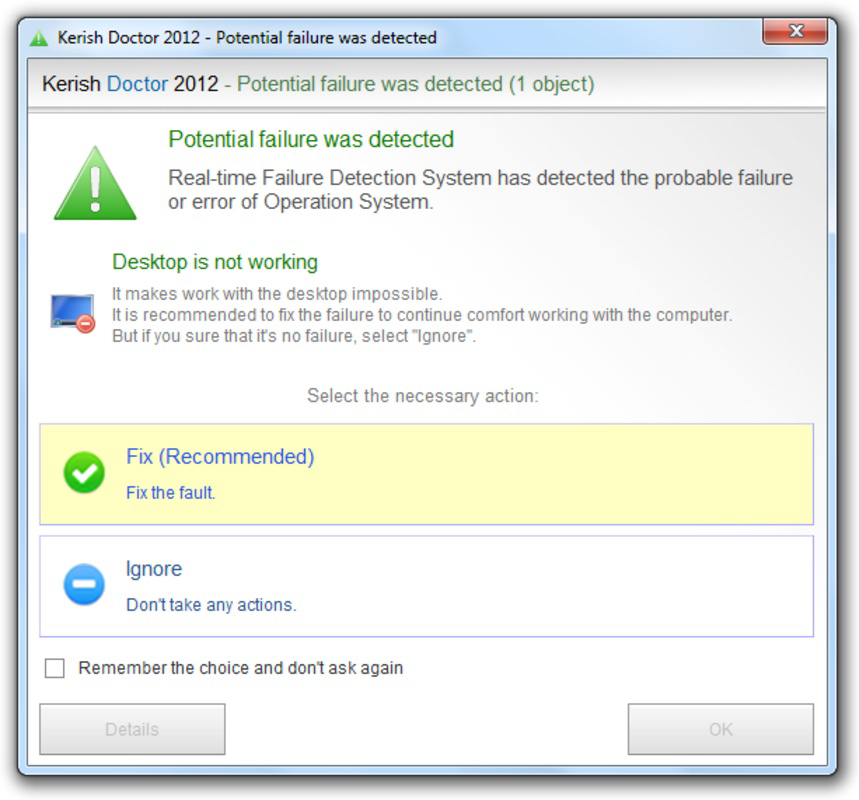
- Automatic Repair Mode: This feature enables the application to initiate system fixes without requiring user input. Ideal for users who prefer a hands-off approach, it runs diagnostics and applies corrections in the background, reducing the need for constant monitoring.
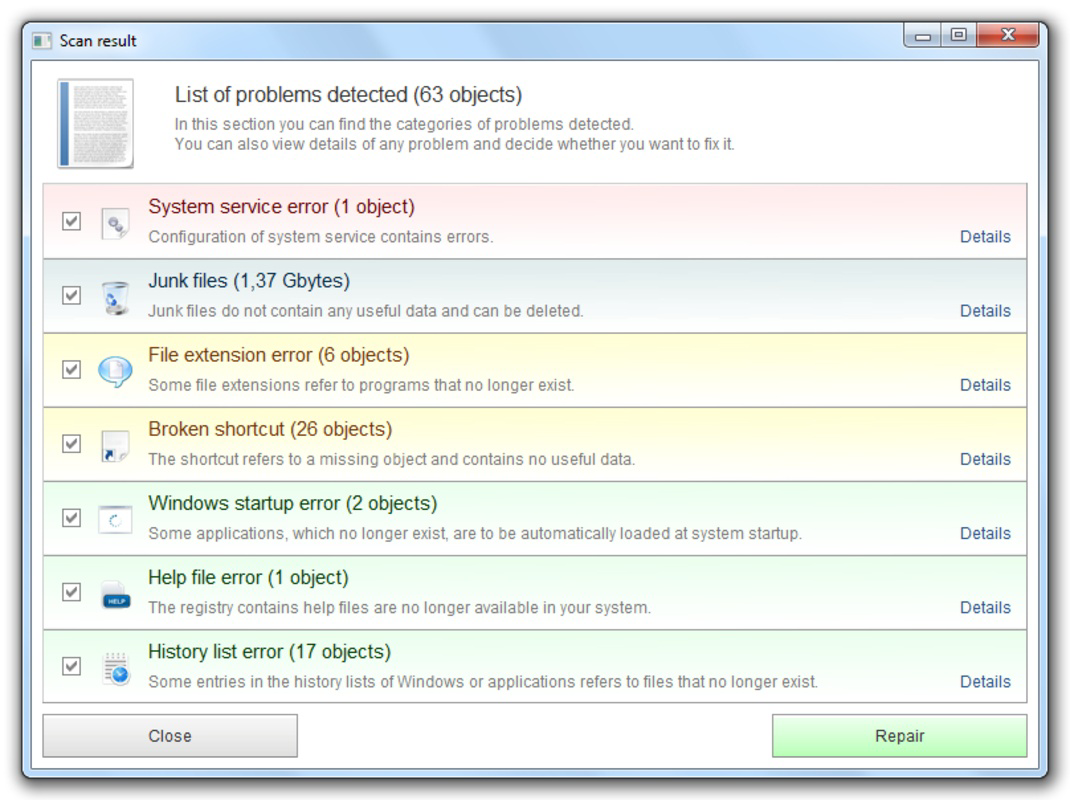
- Comprehensive System Checks: The tool scans for invalid file extensions, broken shortcuts, and unused system files. By identifying and resolving these issues, it helps prevent system slowdowns and improves long-term stability.
- Virus and Spyware Detection: Kerish Doctor 2015 includes a detection mechanism for known malware and spyware. While it does not perform full system scans like antivirus software, it offers an additional safeguard during routine maintenance.
- System Speed Optimization: Through the removal of unnecessary files and optimization of system resources, the app contributes to faster boot times and improved responsiveness during daily tasks.
- Start Menu Fixer: This dedicated function repairs and organizes the Start Menu, which can become disordered or non-functional over time. Restoring its functionality enhances accessibility and user experience.
For example, a user experiencing slow startup times might run the automatic repair mode to clear temporary files and optimize system settings. Similarly, someone struggling with missing or misaligned Start Menu icons can use the dedicated fixer tool to restore full functionality. These features collectively support a smoother, more reliable computing experience without requiring advanced technical knowledge.
Interface, UX & Performance
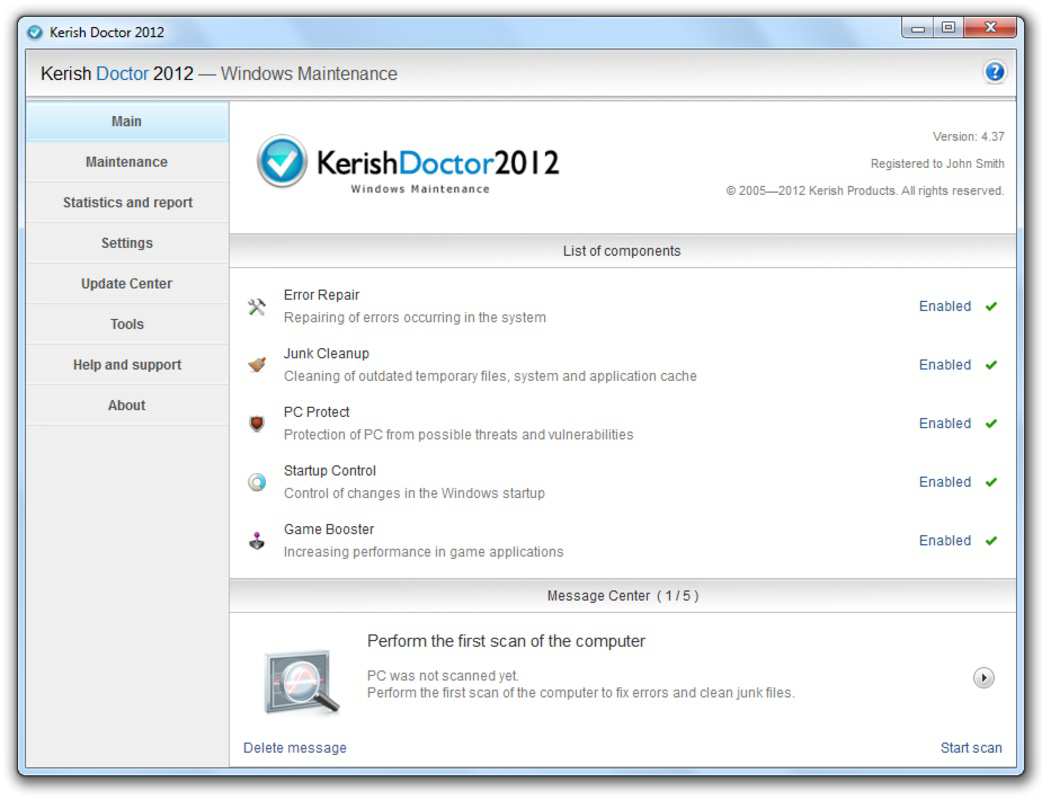
The user interface of Kerish Doctor 2015 is designed with simplicity and functionality in mind. It features a clean layout with clearly labeled sections, allowing users to navigate between repair modes, scan options, and system checks with ease. Visual indicators and progress bars help users track the status of ongoing operations, contributing to a transparent and reassuring experience.
Navigation is intuitive, with a central dashboard that provides quick access to core features such as automatic repair, system checks, and the Start Menu fixer. The application maintains a consistent visual style, minimizing distractions and focusing attention on actionable tasks. Although the developer did not list formal performance metrics, the app is designed to operate efficiently without consuming excessive system resources.
Responsiveness is maintained across various device categories, including older and mid-range Windows systems. Stability appears to be a priority, with no reported issues related to crashes or freezes during standard use. The application runs in the background during automated tasks and does not interfere with other processes, ensuring a seamless user experience. Overall, the UX design supports both novice and experienced users in achieving their maintenance goals with minimal friction.
Platform Compatibility & Technical Requirements
Kerish Doctor 2015 is designed for the Windows operating system. The application is compatible with modern Windows versions, though specific OS requirements were not listed by the developer. The file size is 42.3 MB, which is relatively compact for a utility tool with system-level access.
Although the developer did not specify minimum OS requirements, the app is intended for use on standard desktop and laptop systems running Windows. It does not require high-end hardware, making it accessible to a wide range of users. The latest version is 2015, and the release date was November 20, 2023. Users should ensure their system meets basic Windows compatibility standards before installation.
Pros and Cons
Pros
- Offers automatic repair mode for hands-off system maintenance
- Includes a dedicated Start Menu fixer for improved usability
- Performs system checks to identify invalid files and broken shortcuts
- Provides basic malware and spyware detection as a supplementary layer
- Lightweight file size with minimal system resource usage
Cons
- Not a replacement for dedicated antivirus software
- Specific system requirements were not disclosed
- Release date suggests it may be outdated for newer Windows environments
- Limited feature set compared to full-featured system optimizers
- Developer background and support details were not provided
FAQ
Is Kerish Doctor 2015 safe to install?
Yes, the application is designed to operate within standard Windows security protocols. It does not include known malicious components and is intended for legitimate system maintenance purposes.
Can Kerish Doctor 2015 replace antivirus software?
No, it is not designed to replace a full antivirus solution. While it includes basic malware detection, it lacks real-time protection and comprehensive scanning capabilities.
Does the app require an internet connection?
While not specified, many similar utilities require occasional updates or cloud-based threat intelligence. Users should check for connectivity needs during installation.
Is Kerish Doctor 2015 compatible with Windows 11?
Compatibility with Windows 11 is likely, but the developer did not confirm this. Users should verify system compatibility before installation.
How often should I run Kerish Doctor 2015?
It is recommended to run the tool monthly for routine maintenance or after noticing system slowdowns or interface issues.
Final Thoughts
Kerish Doctor 2015 stands out as a focused utility for users seeking a simple, automated solution to common PC issues. Its blend of system optimization, basic security checks, and interface repair makes it a practical tool for maintaining system health without complexity. While it does not replace advanced security software, it offers a valuable supplement for routine upkeep.
Individuals who value a clean, responsive system and a functional Start Menu will benefit most from this app. Its lightweight design and automated features make it accessible even to less tech-savvy users. For those looking to enhance their computer’s performance and stability with minimal effort, Kerish Doctor 2015 delivers tangible value.
Download Kerish Doctor 2015 now
Guides & Tutorials for Kerish Doctor 2015
How to install Kerish Doctor 2015
- Click the Preview / Download button above.
- Once redirected, accept the terms and click Install.
- Wait for the Kerish Doctor 2015 download to finish on your device.
How to use Kerish Doctor 2015
This software is primarily used for its core features described above. Open the app after installation to explore its capabilities.
User Reviews for Kerish Doctor 2015 0
No reviews found


